Defining Display Screen Equipment
What Exactly Is Display Screen Equipment?
Before we can protect ourselves from the risks of screen-based work, we need to be crystal clear about what we're actually talking about. The term Display Screen Equipment — or DSE for short — sounds technical and slightly old-fashioned, conjuring images of beige 1990s monitors humming in a corner of the office. But the legal definition is far broader, far more current, and far more relevant to your daily working life than you might expect.
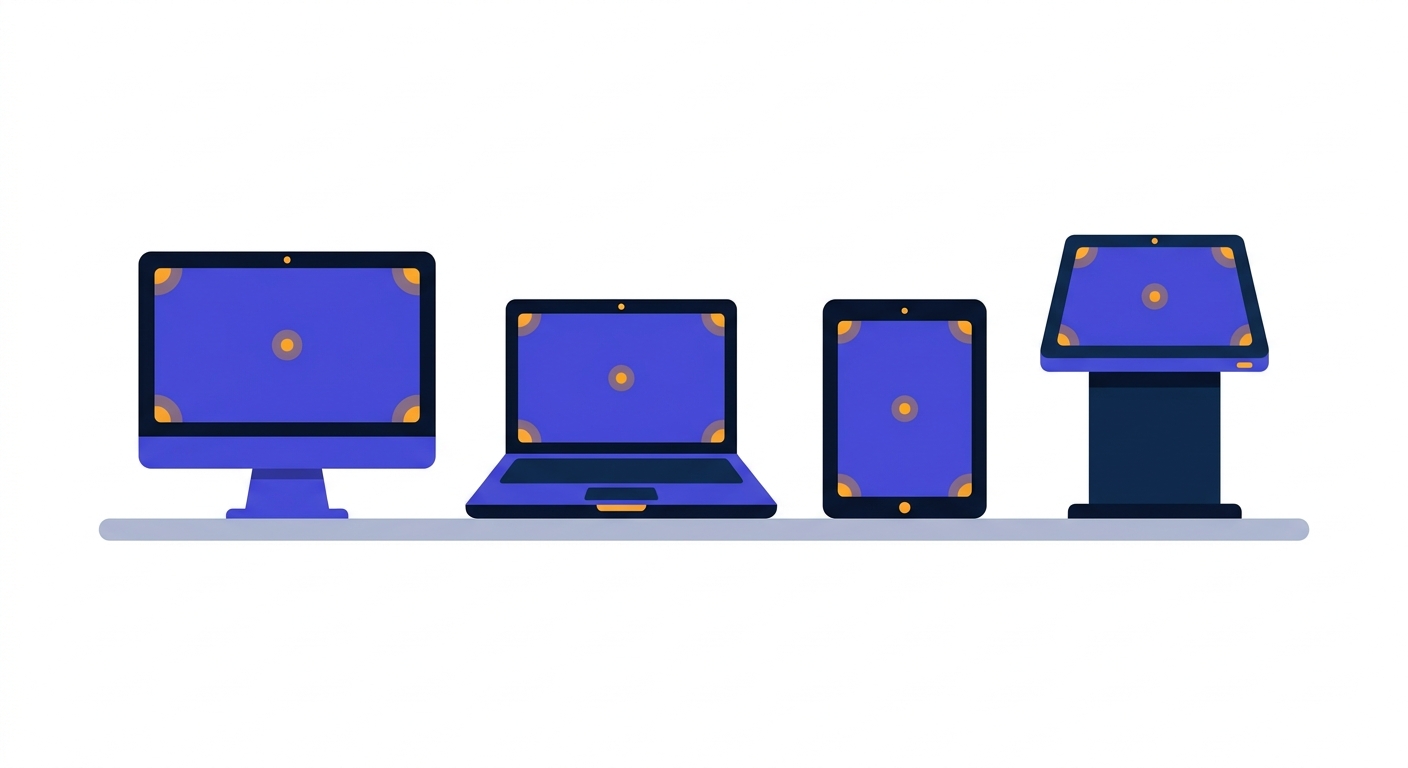
Under UK law, DSE is any device or equipment that has an alphanumeric or graphic display screen, used for work. That definition was deliberately written to be technology-agnostic. The lawmakers in 1992 couldn't have predicted the iPad, the smartwatch or the touchscreen self-service kiosk — but the language they chose covers all of them. If it has a screen, and you use it as part of your job, it sits within the scope of the regulations.
Let's unpack the main categories you'll encounter in a typical UK workplace.
1. Desktop Monitors
The original and most obvious form of DSE. A traditional desktop setup — tower, separate monitor (or two), external keyboard and mouse — is the gold standard from an ergonomic perspective. Why? Because every component is independently adjustable. You can raise the monitor, tilt it, move it closer or further away, and position the keyboard at a comfortable height without affecting anything else.
In the UK, you'll find desktop monitors dominating environments where people sit at the same desk for extended periods: finance teams, call centres, design studios, civil service offices, hospital admin departments, and university administration. If you walk into a typical local authority office in Manchester or a publishing house in London, you'll see rows of desktop monitors — often dual-screen arrangements — humming away.
2. Laptops
Laptops are unquestionably DSE, and they present a particular ergonomic challenge that we'll devote an entire section to later in the course. The fundamental issue is one of compromise: a laptop is designed for portability, which means the screen and keyboard are physically joined. When the screen is at the right height for your eyes, the keyboard is too high for your hands. When the keyboard is at the right height for your hands, the screen is too low for your neck.
This is why a laptop used as someone's primary work device — particularly for hours at a time — is one of the most common causes of DSE-related discomfort in the modern UK workplace. Roughly three-quarters of UK office workers now use a laptop as their main machine, and many use it without a docking station, external monitor, or separate keyboard. That's a problem we'll solve later. For now, recognise: laptops are DSE.
3. Tablets
Tablets — iPads, Microsoft Surface devices, Android tablets — count as DSE when used for work tasks of meaningful duration. A retail manager reviewing rotas on an iPad for an hour each morning is using DSE. A surveyor completing site reports on a Surface device throughout the day is using DSE. A doctor tapping through patient notes on a ward round is using DSE.
Tablets pose their own ergonomic issues: they're typically held in the hand or propped on a surface at an awkward angle, the on-screen keyboard makes prolonged typing uncomfortable, and the temptation to use them while slouched on a sofa or perched on the edge of a desk is enormous.
4. Touchscreens and Interactive Displays
Touchscreens have quietly invaded the workplace. Self-service kiosks at supermarket checkouts, point-of-sale terminals in cafés, interactive whiteboards in classrooms, vehicle dashboard displays for delivery drivers, control panels in manufacturing — all of these are DSE if used as a sustained part of someone's job. The ergonomic considerations are different (reach, shoulder strain from holding the arm up to a vertical touchscreen, glare from overhead lighting), but the regulations still apply.
Edge Cases You Might Not Have Considered
The boundaries of DSE get interesting at the edges. Watch out for these often-overlooked scenarios that still fall within the regulations:
- Smartphones used for sustained work tasks — a recruitment consultant reading and responding to emails on a phone for two hours on a train, or a journalist drafting copy on a mobile, is engaged in DSE work even though smartphones aren't traditionally thought of that way.
- Dual and triple monitor setups — common in finance, design, software development and trading. Each screen is DSE, and the arrangement of multiple screens introduces specific neck-rotation risks.
- Vehicle dashboard and in-cab displays — used by HGV drivers, delivery riders, taxi drivers and field engineers. The setup, glare and viewing angle all matter.
- Control room screens — in utilities, transport, broadcasting and security, operators may face walls of monitors for entire shifts.
- Microscopes with digital displays, CAD workstations, and CNC machine interfaces — specialist equipment that is still, fundamentally, a screen used for work.
Why the Definition Matters in Practice
You might be wondering: does it really matter whether something is technically classified as DSE? The answer is a firm yes — for three reasons.
First, legal protection. If a device counts as DSE and you use it as a meaningful part of your job, you're entitled to certain protections under the Health and Safety (Display Screen Equipment) Regulations 1992. Those include a workstation assessment, training, the right to request an eye test paid for by your employer, and breaks built into your working pattern. We'll cover all of this in detail in the lessons ahead.
Second, practical awareness. Many people associate DSE risks only with the traditional office desk. If you assume your laptop on the kitchen table, your tablet on the sofa, or your phone on the train aren't really "DSE", you'll never apply the principles of good setup, posture, and breaks to those situations. And yet those situations are precisely where most modern DSE-related discomfort develops.
Third, employer accountability. If you raise a concern about discomfort caused by, say, prolonged tablet use during home visits, your employer has a duty to take it seriously. They cannot dismiss it as "not really DSE work". Knowing the definition gives you the language and the standing to ask for what you need.
A Brief Reflective Exercise
Take a moment — genuinely, pause your reading — and run through a typical working week in your mind. From the moment you start work on Monday morning to when you log off on Friday evening, list every screen-based device you interact with as part of your job. Don't filter. Don't dismiss anything as too trivial.
Most people, when they do this honestly, are surprised by the count. A typical list might look something like:
- Work laptop (primary device — used 6+ hours per day)
- Second monitor connected to the laptop at the office
- Personal smartphone used for work email and Teams notifications
- Tablet used in meetings for note-taking
- Touchscreen on the office printer or coffee machine (brief but frequent)
- Smart TV in the meeting room used for presentations
- Dashboard display in the company car during site visits
That's seven screens in a single working week — and we haven't even mentioned the smartwatch buzzing on your wrist. The point of this exercise isn't to alarm you. It's to shift your perception. Screen-based work is no longer something that happens only at a desk between 9 and 5. It's woven through the entire fabric of the modern working day.
Duration and Intensity: The Two Variables That Matter
Not every interaction with a screen creates a meaningful health risk. Glancing at the microwave display in the office kitchen is not DSE work in any meaningful sense. The two factors that elevate ordinary screen use into something the regulations care about are duration and intensity.
Duration is straightforward: how long, in continuous or near-continuous spells, do you use the device? An hour or more of sustained use, more or less daily, is the threshold that typically defines you as a "DSE user" under the regulations — a concept we'll explore properly in lesson 4.
Intensity is more subtle. It encompasses the level of attention the screen demands, the speed at which you need to work, the complexity of the input (typing, mousing, swiping), and whether errors carry consequences. A traffic controller scanning radar screens has a high-intensity DSE role even if they barely touch a keyboard. A novelist typing a manuscript has a high-intensity DSE role even though the work feels relaxed.
Both variables shape the risk profile — and both should shape how seriously you take the principles in this course.
If it has a screen and you use it as a meaningful part of your job, treat it as DSE. The technology will keep changing. The principles of good setup, regular breaks and listening to your body will not.
The Workstation, Not Just the Screen
One last clarification before we move on. The regulations don't just cover the screen itself — they cover the entire workstation. That means the chair, the desk, the keyboard, the mouse, the document holder, the footrest if you need one, the lighting, and the immediate environment around you. The screen is the centrepiece, but it's the whole arrangement that determines whether you can work comfortably and safely.
This is why a brand-new ergonomic monitor on a wobbly second-hand desk with a kitchen chair is still a poor DSE setup. It's why a beautifully equipped office workstation becomes useless if you spend three days a week working from the corner of your bed at home. The screen is necessary, but it is never sufficient. We'll spend the whole of Section 3 building a proper workstation from the chair upwards.
Looking Ahead
Now that we've established what DSE actually is, the next lesson takes us to the law itself: the Health and Safety (Display Screen Equipment) Regulations 1992. We'll look at exactly what the law requires, why it was introduced, how it has been amended for the modern workplace, and what it means for you and your employer in practical terms.
Before you move on, make sure the core idea of this lesson has landed.
Key Takeaway
If it has a screen, and you use it as a meaningful part of your job, treat it as DSE.
Forget the old image of beige monitors in fluorescent-lit offices. Today's DSE includes the laptop on your kitchen table, the tablet in your hands during a site visit, the smartphone you use to manage your inbox on the move, and the touchscreen you tap through on every shift. The technology has multiplied — and so have the situations where good setup, regular breaks, and early reporting of discomfort really matter.
Carry this mindset into every lesson that follows.
Enjoyed this preview? Enrol to unlock all 45 lessons + your certificate.
Training a team? Buy seats for your team →